
How to make a report of (open) Non-Conformities?
1. Go to Reports > Summary:

2. Select "Custom", remove the dates and press on "more options":
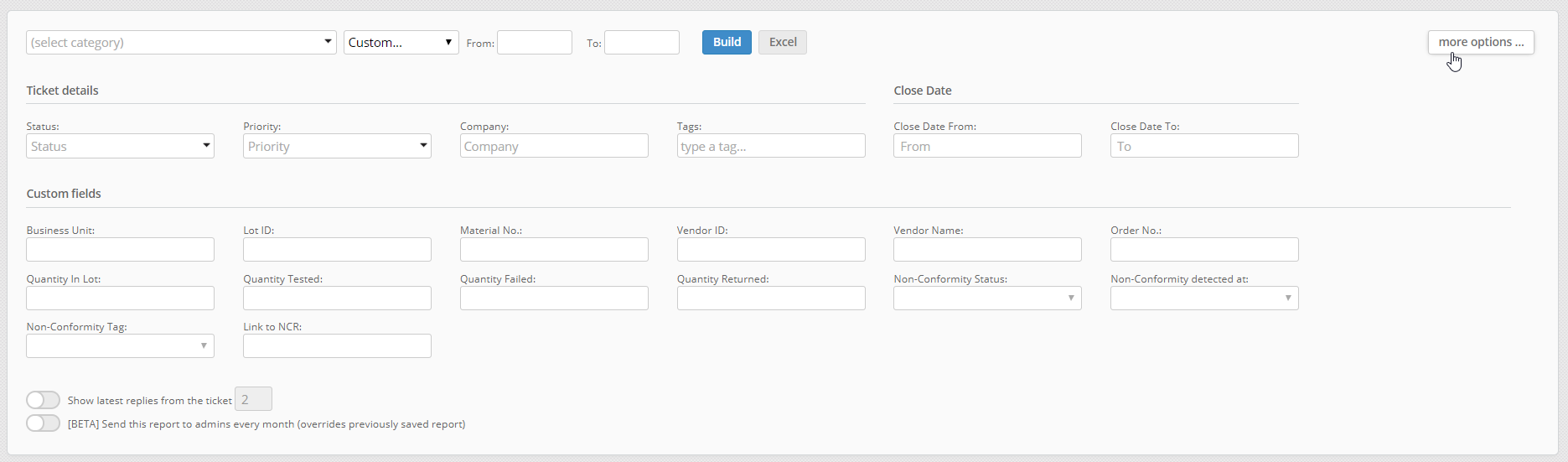
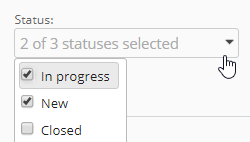
3. Make selection.
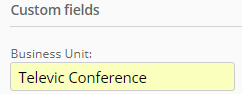
E.g. for open Non-Conformities for Televic Conference:
4. Press Build or Excel.
Build > At the bottom a list appears, by clicking on the Non-Conformity you directly link to the ticket.
Excel > An excel report is generated, you can filter by applying a filter in Excel.

2. Select "Custom", remove the dates and press on "more options":
3. Make selection.
E.g. for open Non-Conformities for Televic Conference:
4. Press Build or Excel.
Build > At the bottom a list appears, by clicking on the Non-Conformity you directly link to the ticket.
Excel > An excel report is generated, you can filter by applying a filter in Excel.
DataImage1.png
DataImage1.png
DataImage17.png
DataImage17.png
DataImage17.png
DataImage17.png
DataImage46.png
DataImage46.png
DataImage90.png
DataImage90.png
| Files | ||
|---|---|---|
|
DataImage1.png 8 KB |
||
|
DataImage17.png 8 KB |
||
|
DataImage17.png 5 KB |
||
|
DataImage46.png 67 KB |
||
|
DataImage90.png 21 KB |
 Get help for this page
 Jitbit HelpDesk