
How to add (or edit) "Short text" to an Inspection Lot in ZQA33
1. Click on the Inspection Lot:

2. Type (or edit) your comment in the field "Short text":

3. Press "Save":

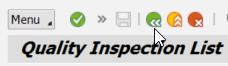
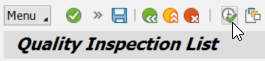
4. Refresh the list (by going back & then entering again):
2. Type (or edit) your comment in the field "Short text":
3. Press "Save":
4. Refresh the list (by going back & then entering again):
DataImage22.png
DataImage22.png
DataImage41.png
DataImage41.png
DataImage6.png
DataImage6.png
DataImage77.png
DataImage77.png
DataImage77.png
DataImage77.png
| Files | ||
|---|---|---|
|
DataImage22.png 84 KB |
||
|
DataImage41.png 21 KB |
||
|
DataImage6.png 6 KB |
||
|
DataImage77.png 13 KB |
||
|
DataImage77.png 15 KB |
 Get help for this page
 Jitbit HelpDesk